• Skip to primary navigation
  • Skip to main content
  • Skip to primary sidebar
  • Skip to footer
UT Shield
Enterprise Technology
  • Home
  • News
    • Announcements
    • Authentication
    • Directory Services
    • Group and Role Management
    • Identity Management
    • Infrastructure
  • Solutions
    • Authentication
    • Directory Services
    • Group and Role Management
    • Identity Management
    • Tools
    • Other Solutions
  • Resources
    • Case Studies
    • Concepts
    • Directory Schema
    • How do I…?
    • Policies
    • Technical Docs
    • Terminology
    • Vendor Guide
  • About
    • Metrics
    • Opportunities
    • Roadmap
    • Values
  • Help

How to Sign the AUP

We apologize for changes in the AUPAUP An Acceptable Use Policy (AUP) is a document that outlines a set of rules to be followed by users or customers of a set of computing resources. An AUP clearly states what the user is and is not allowed to do with these resources. signing process. These are a result of changes implemented by DocuSign which are beyond our control. A different approach to acknowledging the AUP is on our roadmap.

Here is a step-by-step guide for you to follow:

Receive the Email

First, you will receive an email from us asking you to sign the AuthenticationAuthentication Authentication is the act of determining that a person is who they claim to be. For more information, see our Concepts page. AUP. It will be signed by the Identity and Access Management Team. Clicking on the custom link will take you to:

Our Form
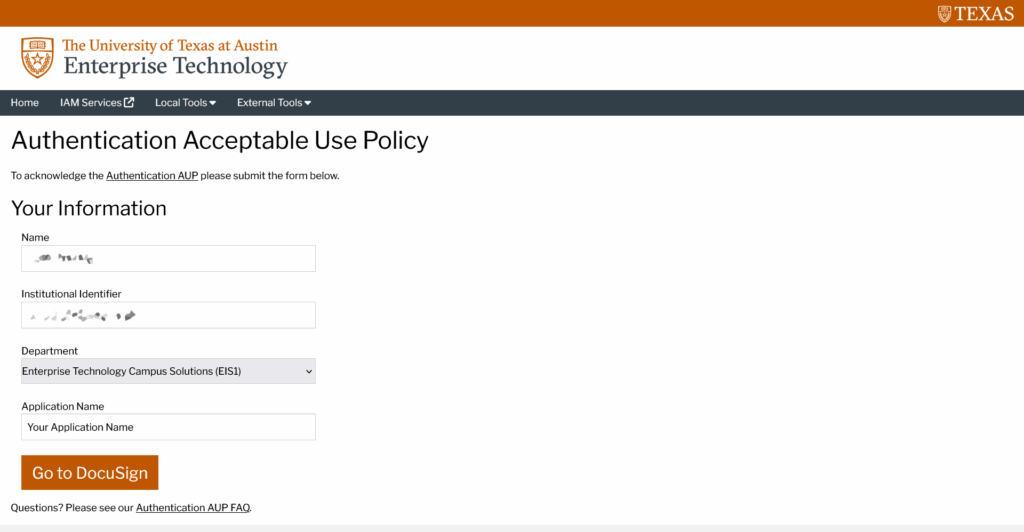
A screenshot of our form.

On our form, your Name and Institutional Identifier are automatically populated. They cannot be changed.

Your Department and Application Name are also automatically populated, but you may make corrections here if necessary.

Click on the Go to DocuSign button to proceed.

DocuSign Processing

DocuSign will appear to be processing, but eventually complete.
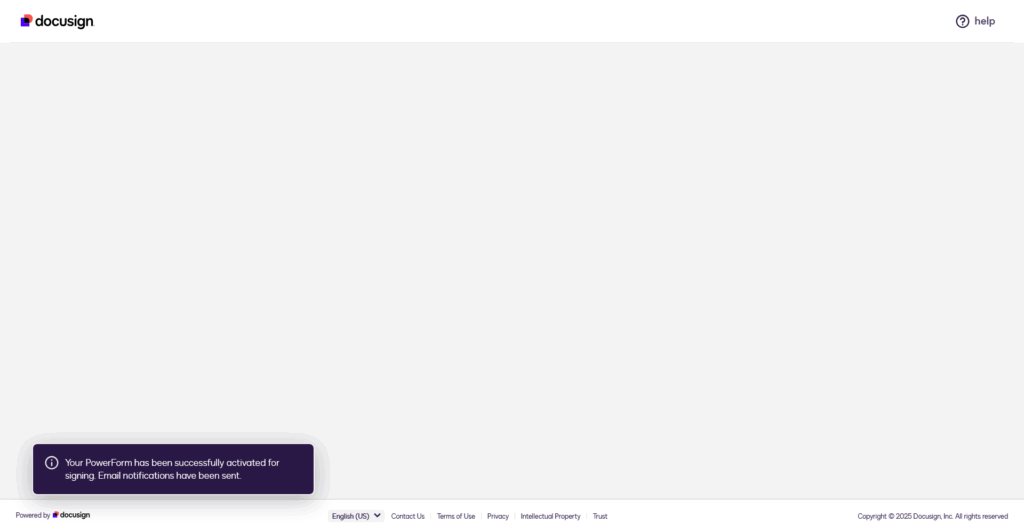
The DocuSign screen when processing is complete.

When complete, you will see the message (above)

Your PowerForm has been successfully activated for signing. Email notifications have been sent.

At this point, please check your email. You should received…

New DocuSign Email
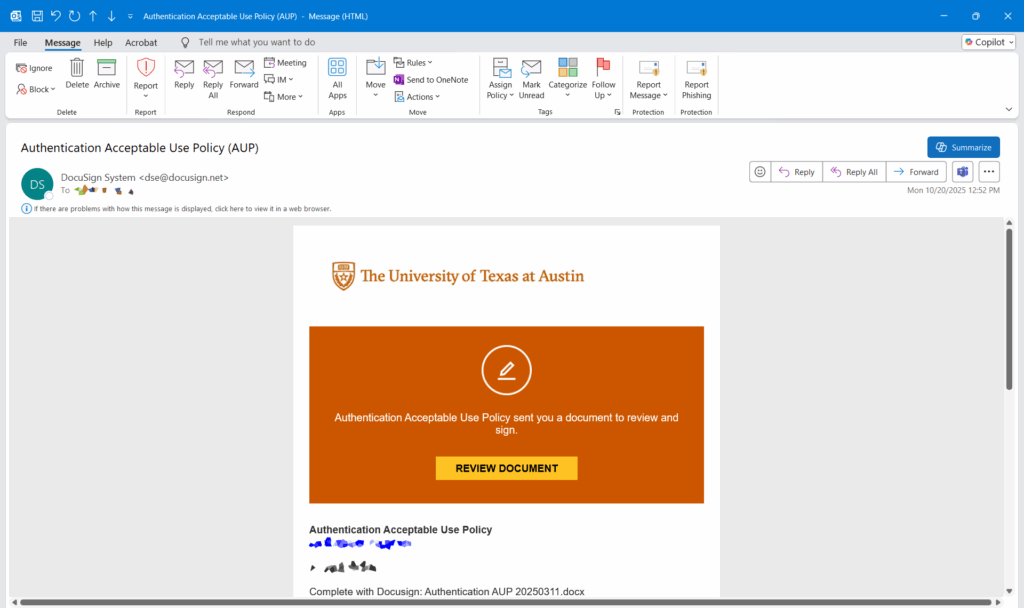
Click on the Review Document button to be taken to…

The Actual Agreement
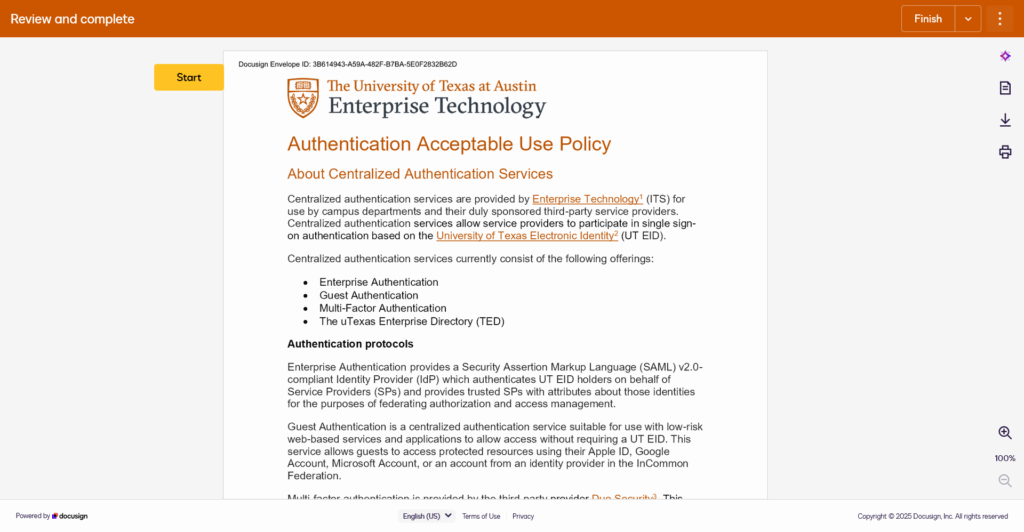
This should now take you to the actual document to review and complete.

Primary Sidebar

Recent News

  • Release Notes – uTexas Enterprise Directory – Release 2026.1.0
  • Release Notes – SailPoint IdentityIQ (IIQ) – Version 2026.1.1
  • Release Notes – Enterprise Group Services – Release 2026.1.1
  • Release Notes – midPoint – Release 2026.1.2
  • Release Notes – IGA Infrastructure – Release 2026.1.1

Footer

Home
News
Solutions
Resources
About
Help
Authentication
Directory Services
Group and Role Management
Identity Management
Tools
Other Solutions
Alerts & Outages
Campus IT Policies
Campus Solutions
Enterprise Technology
Information Security Office (ISO)
IT@UT
Enterprise Technology Logo

P.O. Box 7407
Austin, TX 78713-7407
+1 512-475-9400
help@utexas.edu

UT Home | Emergency Information | Site Policies | Web Accessibility | Web Privacy | Adobe Reader

© The University of Texas at Austin 2025